The workspace
Your models, your chats, your local server, in one window.
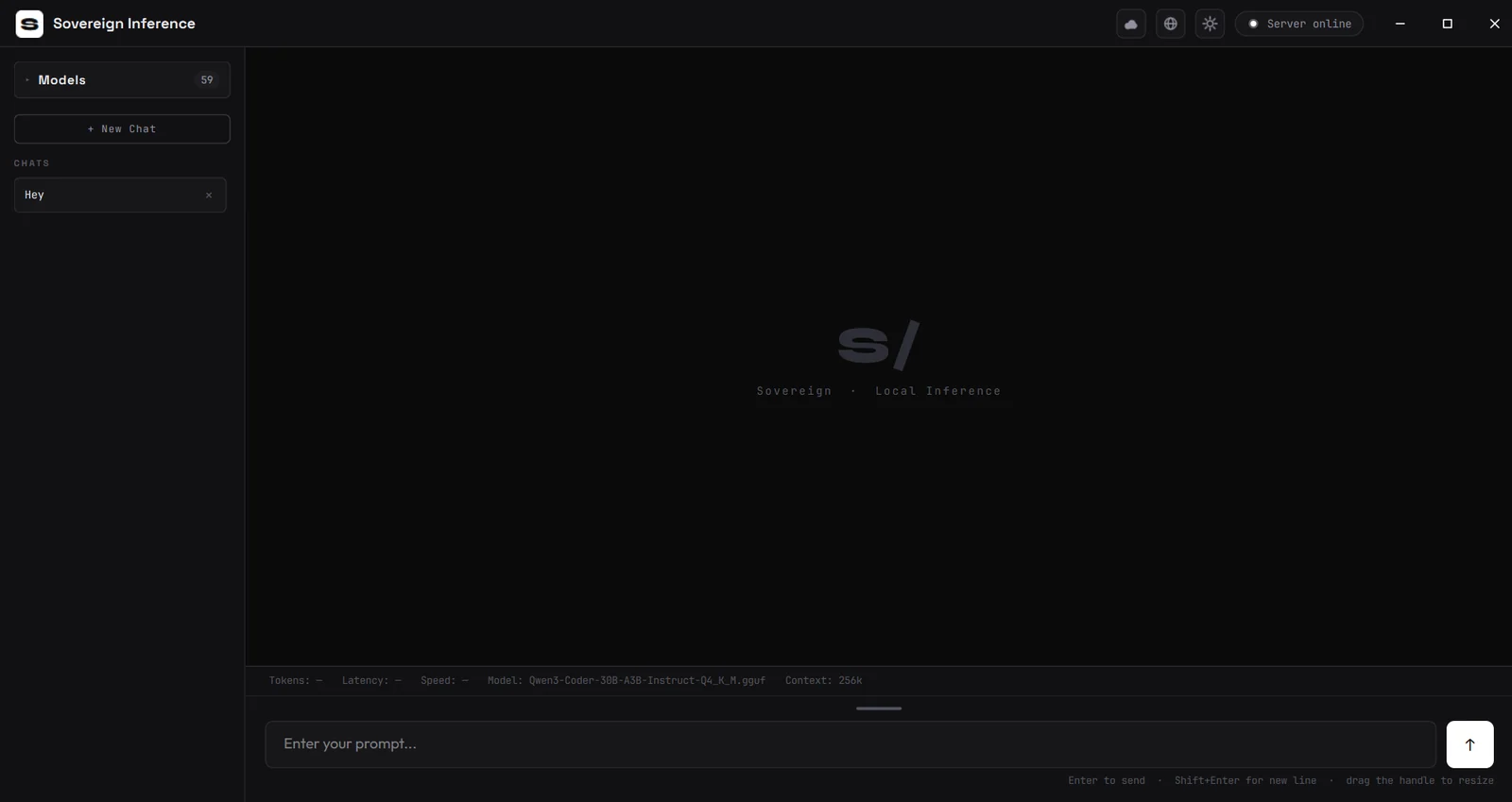
Browse and load models, manage chats, and watch the live local inference servers speed, latency and context all reported in real time.
Private AI that runs entirely on your machine. Your models, your conversations, your hardware.
Sovereign Inference is a desktop app for running AI language models locally on your own computer. Point it at your models folder, pick one, and start talking.
The app, your chats and your models all live on your machine and never leave it. No queue, no rate limit, no subscription. fast, private, and yours.
Available now · CPU and Vulkan editions shipping, NVIDIA CUDA builds close behind
Runs open .gguf models on your own hardware. Your data never touches a server, and never leaves the machine.
Answers appear word by word as the model generates them - never in one delayed lump - with smart caching so follow-ups come back faster.
Qwen, Llama, Mistral, Gemma, Phi and more. Prompts are formatted correctly automatically, even for brand-new models it hasn't seen before.
Temperature, max tokens, top-P, top-K, repeat penalty, context size and a custom system prompt, all saved between sessions.
Save what you'd like it to remember across every chat. Export your memory or any conversation as a portable .sovmem file.
Built natively for Windows with live RAM, CPU and GPU readouts, an accent colour that recolours everything, and an away mode that speeds up replies.
Set a passcode and your conversations and memory are encrypted on your machine. It locks on startup and can lock itself again when you step away. Two recovery keys, shown once, to write down.
Any provider keys you add are encrypted at rest with Windows' own data protection - so they can't be read off the drive, out of a backup, or out of a copied profile.
The documented API is yours to build against, with a key you control. The app's own internal interface is closed to everything else - including web pages that come looking.
Browse and load models, manage chats, and watch the live local inference servers speed, latency and context all reported in real time.
Sovereign Inference never contacts us. Not to check for updates, not to validate a licence, not to count installations, not to report a crash. It has no ability to do so.
Everything it remembers - settings, chats, memory - stays in one folder on your machine. Problem reports are never sent automatically, and never include your keys or private data.
Everything below is off by default. Turn it on, and the data goes straight from your machine to the provider you picked - never through us.
Let the assistant look things up when a question needs current information - with the best privacy based providers available. It doesn't just skim headlines; it opens and reads the top pages to find the real answer.
Want a frontier model for a particular task? Bring your own key for OpenAI, OpenRouter or Cerebras, which is the fastest inference provider in the world by a wide margin, running at around 2,000 to 3,000 tokens a second where the next fastest manages a few hundred. Cerebras reaches GLM 5.2, DeepSeek's latest models, Claude, Gemini, GPT, Llama and more. Local and cloud share the same chat, search and memory, so you can switch freely.
Same app, same privacy - accelerated for your personal machine.
Which NVIDIA build? It depends on your driver, not your card. Run nvidia-smi and read the CUDA version in the top right, or check the NVIDIA Control Panel under System Information, then match it. If in doubt, CUDA 12 covers more cards, the newest ones included. The Vulkan edition also runs on NVIDIA and is a safe fallback.
Every edition runs the same models with the same privacy. Nothing leaves your computer on any of them. The only difference is which part of your hardware does the work. Not sure whether your graphics card is earning its keep? Install a GPU edition and use Settings › GPU offload › Test which is faster. It times your own model both ways and tells you.